
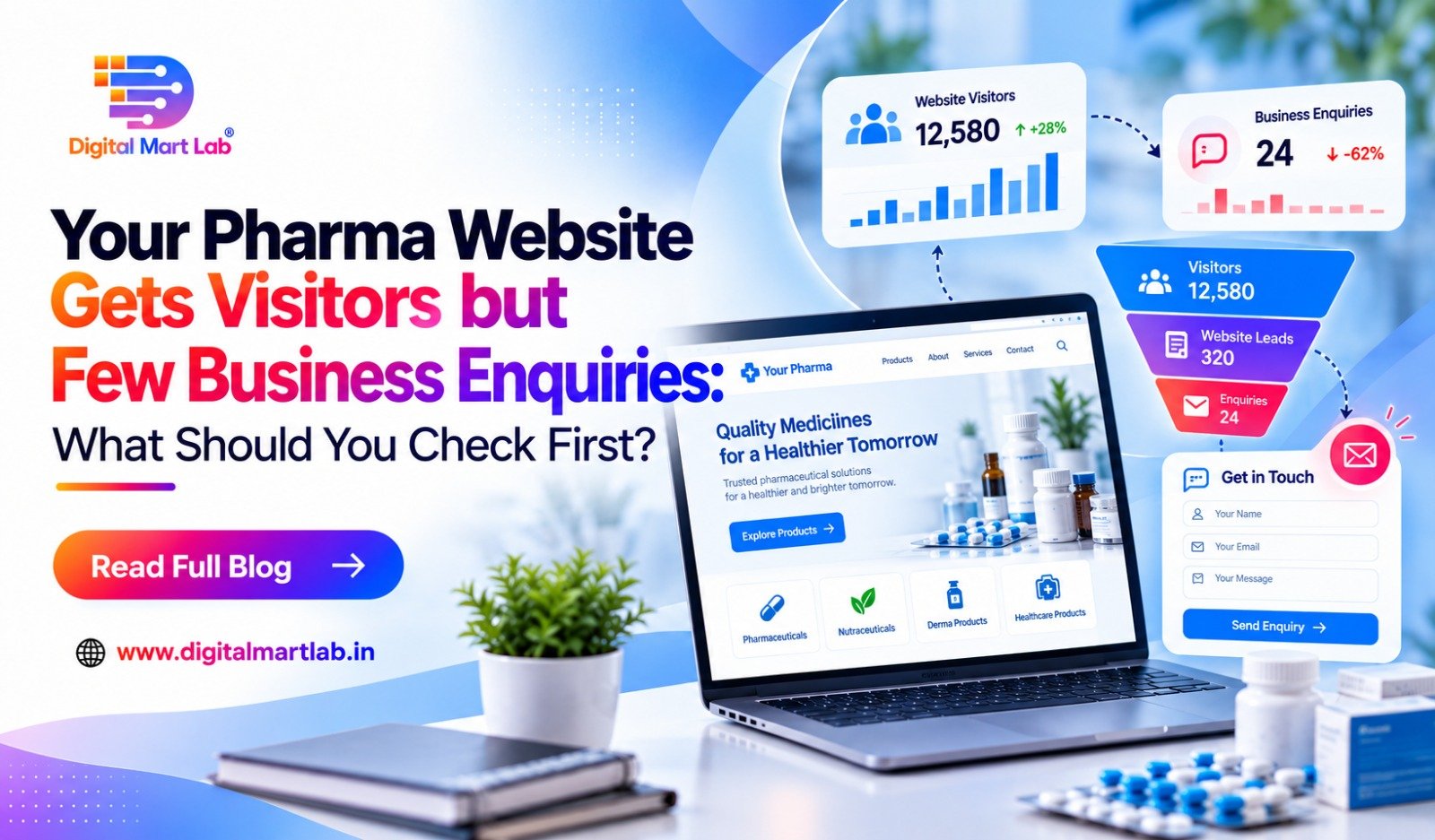
Your website report shows visitors. Some people open product pages. Others download the catalogue.
But your sales team says, “We are not getting enough useful enquiries.”
Before increasing your advertising budget or deciding that the website needs a complete redesign, follow the same steps a potential buyer would take.
Open the website on your phone. Find a relevant range. Try to ask about a franchise or submit a manufacturing requirement.
Is the process clear? Does the form work? Does the enquiry reach the right person?
Improving pharma website conversion starts with checking whether suitable visitors can understand your offer, contact your team and receive a response. Traffic figures alone cannot show where that process is breaking down.
A practical review can help you identify what needs attention first.
First, separate website activity from business enquiries
A visit tells you that someone reached your website. A catalogue download tells you they requested a file.
Neither automatically means you have gained a suitable franchise applicant, distributor or manufacturing buyer.
It helps to separate the stages:
| Stage | What it tells you |
| Website visit | Someone reached a page |
| Product-page view or catalogue download | Someone explored information |
| Completed enquiry | Someone submitted details or contacted the business |
| Relevant business conversation | Your team established a requirement your company may be able to serve |
| First paid order | The discussion progressed into a commercial transaction |
These stages are connected, but they should not be reported as the same result.
A buyer may also return several times before making contact. Another may download a catalogue without ever becoming a customer.
Did You Know? A catalogue download is not a distributor appointment. Tracking enquiries, relevant conversations and first paid orders separately helps you understand what your website is contributing to the business.

Check 1: Are the right people visiting your website?
Before changing buttons and forms, review why people are arriving.
A manufacturing company may receive visits from people looking to buy individual medicines. A franchise page may attract job seekers if the message is unclear. An article may answer a general question without attracting someone ready for a business discussion.
Ask your marketing team to review:
- Which pages receive visitors.
- Where those visitors come from.
- Available search-query or campaign information.
- Whether the advertisements explain the intended business offer.
- What your sales team hears from the people who enquire.
Some traffic is useful for awareness even if it does not produce an immediate enquiry. The problem is expecting every type of visit to behave like a buyer actively seeking a supplier or partnership.
Make the intended audience clear
A visitor should be able to recognise whether the page is for franchise applicants, distributors or manufacturing buyers.
For example, “Discuss a PCD franchise opportunity” gives clearer direction than a general “Explore exciting opportunities.”
Relevant wording helps visitors understand what the business is offering before they share their details.
Where search traffic is regularly unrelated to your services, a review of your SEO strategy and website content can help identify the mismatch.
Check 2: Can a buyer use the website comfortably on a phone?
Do not judge the website only from your office computer.
Open it on a phone using an ordinary mobile connection. Start from the page a buyer would actually visit, rather than always starting from the homepage.
Check whether you can:
- Read the main explanation without zooming.
- Find the relevant range or capability.
- Use the menu easily.
- Open a catalogue without losing your place.
- Tap the enquiry button comfortably.
- Complete the form without an overlapping popup.
Large images, crowded layouts and awkward forms can make a simple enquiry feel like work.
Do buyers have to download a large file to understand the offer?
A catalogue can provide useful detail, but basic business information should also be available on the page.
Explain the range, service and next step before asking visitors to open a file.
For example, a franchise prospect should be able to understand which range is being discussed and how to enquire about a territory without first searching through a lengthy PDF.
Check the whole form, including errors
Try submitting the form with a missing required field.
Does it clearly explain what needs correcting? Does it preserve the information already entered? Can the visitor reach the submit button when the phone keyboard is open?
Small usability problems can interrupt an otherwise useful page.
Did You Know? A franchise prospect opening your website on a phone may struggle with crowded pages and heavy downloads. Clear mobile layouts make partnership information and enquiry options easier to access.
Check 3: Does the visitor know what will happen after enquiring?
Someone may be interested in your range without being ready for a sales call.
Make the next step clear so visitors understand what they are requesting.
Compare these options:
| Unclear button | Clearer option, where accurate |
| Submit | Request a Callback |
| Get Started | Discuss Your Preferred Territory |
| Know More | Ask About This Product Range |
| Send | Submit Your Manufacturing Requirement |
The wording should match what happens next.
If the form requests a callback, explain that your team will contact the person. If it requests a quotation review, explain that more details may be needed before a quotation is prepared.
Check what the advertisement promised
If an advertisement invites people to download a catalogue but the form appears to request a business call, expectations may become confused.
The advertisement, form and confirmation message should describe the same action.
If people repeatedly tell your sales team, “I did not ask for a call,” review how the offer and contact request are explained. More follow-up calls will not resolve unclear expectations.
A review of performance marketing campaigns should therefore include the form and destination page, alongside the advertisement itself.
Check 4: Do your forms and contact buttons actually work?
A working-looking form can still fail to deliver an enquiry.
Test every important contact route instead of assuming that a successful website launch means everything continues working.
Test the enquiry form from submission to receipt
Send a clearly labelled test enquiry and check the complete process:
- The form accepts valid details.
- A confirmation message appears.
- The enquiry is recorded in the intended location.
- The notification reaches the responsible person.
- The submitted details are readable and complete.
If your business uses a shared lead system, check that the record reaches it as expected.
Seeing “Thank you” on the website does not prove that your sales team received the enquiry.
Test phone and WhatsApp links
Confirm that the call button opens the correct number and that the WhatsApp link opens the intended business account.
If the WhatsApp message is prefilled, check that it relates to the page and is easy to understand.
Test links from more than one relevant device where possible. Do not count a button tap as proof that a call connected or a WhatsApp conversation started.
Repeat checks after website changes
Updates to forms, plugins, email settings or page layouts can affect enquiry delivery.
Include submission tests in your website maintenance process, especially after changes to the contact journey.
A broken manufacturing enquiry form can waste interest generated by both advertising and search.
Check 5: Is the form asking for the right amount of information?
Your team needs context, but the first enquiry should be manageable.
A franchise applicant might reasonably share a preferred district and range. A manufacturing buyer might share a dosage form and estimated quantity.
However, someone at an early stage may not have every detail decided.
Use clear labels and allow “Need guidance” where appropriate. Review whether a field genuinely helps prepare the first conversation.
Illustrative example: A manufacturing form requires a detailed packaging specification before submission. A buyer with a relevant requirement has not selected the packaging yet.
Allowing them to state “Packaging to be discussed” lets your team continue the conversation with accurate context.
The purpose is to collect useful information without forcing buyers to guess.
Check 6: Are enquiries reaching someone who will act on them?
A website can collect a suitable enquiry and still fail to produce a conversation.
The notification may reach an unattended inbox. Two employees may assume the other person will call. The request may be copied into a sheet without an assigned next step.
Check:
- Who owns each new enquiry.
- Where the details are stored.
- How the team sees requests awaiting a response.
- What happens when the assigned person is unavailable.
- Whether the outcome of the first contact is recorded.
A clear handover can matter as much as the page design.
If your team receives the details reliably but responses are delayed, fix that process before assuming the website needs more traffic.
Check 7: Does your tracking reflect real business activity?
Your report should distinguish between actions that show interest and actions that create contact.
A useful setup may record catalogue downloads, contact-button clicks and completed form submissions separately.
Then compare those records with actual enquiries received by the team.
Do not count every click as a lead
A visitor may click WhatsApp but not send a message. They may tap a phone number and cancel. They may submit the same form twice.
Reporting these actions separately gives you a clearer picture.
Where possible, remove duplicate enquiry records before assessing business outcomes. Keep the original details needed to understand how the buyer contacted you.
Remember that some buyers enquire later by phone
A buyer may discover your company online, save the number and call later. That conversation may not appear as a website form submission.
Ask a simple question during the conversation:
“How did you first hear about us?”
Record the answer alongside available source information. Buyers may not remember every step, so treat this as helpful context rather than perfect attribution.
For businesses with an appropriate setup, call-tracking arrangements may provide additional information.
Use a consistent enquiry-rate calculation
For example, calculate the completed-form rate by dividing completed form submissions by visits to the relevant page during the same period.
Do not mix catalogue downloads, button clicks and confirmed enquiries into one total without explaining what it contains.
There is no single conversion target that suits every pharma website. Buyer type, traffic source, offer and the requested action all affect what a useful result looks like.
What should you fix first?
Use the evidence from your review to set priorities.
| Finding | First action |
| Form submissions are not reaching the team | Repair delivery and retest |
| Mobile visitors cannot complete the form | Fix the mobile interaction |
| People misunderstand why they will be contacted | Clarify the advertisement, form and confirmation |
| Enquiries are mostly unrelated to your business | Review traffic sources and offer wording |
| Suitable enquiries remain unanswered | Assign ownership and a response process |
| Reports show leads the team cannot find | Check event definitions, delivery and duplicate counting |
| Buyers cannot find relevant range information | Improve page content and navigation |
Do not change everything at once unless a wider repair is clearly necessary.
Fix the most direct problems first, then review whether buyer conversations improve. This makes it easier to understand which changes are helping.
How Digital Mart Lab can help review your pharma website
Digital Mart Lab can review the journey from the first visit to the enquiry reaching your team.
The work can include:
- Checking mobile layouts and navigation.
- Reviewing range and service explanations.
- Improving enquiry buttons and form wording.
- Testing submissions and notification delivery.
- Reviewing agreed tracking and enquiry records.
- Identifying gaps between website activity and sales follow-up.
Through website design and development services, the findings can guide focused improvements or a wider rebuild where justified.
The review should help you understand what needs fixing and why. A complete redesign is not automatically the first answer.
Frequently asked questions about pharma website enquiries
1. Why does our pharma website get traffic but few enquiries?
Possible causes include unrelated visitors, unclear information, difficult mobile pages, broken forms or contact options that do not explain the next step. Follow the full buyer journey before deciding which issue applies.
2. Does a catalogue download count as a lead?
It is an interest signal. Whether it creates a contact record depends on the process, but it does not establish that the person is a suitable buyer or ready for a business discussion.
3. Should we redesign the website immediately?
First check whether forms work, enquiries reach the team and important pages are usable on a phone. Targeted improvements may resolve the main problem without a complete redesign.
4. Why do some people say they did not request a sales call?
They may have understood the advertisement or form differently. Review the promised action and make it clear when submitting details means requesting contact from your team.
5. How can we track people who visit the website and call later?
Record available source information and ask how they first heard about your company. Suitable call-tracking arrangements may help, but some journeys will remain only partly visible.
6. Should we increase advertising spending to get more enquiries?
Review the current traffic and enquiry process first. More spending may increase visits, but it will not repair a broken form, clarify an unclear offer or ensure that enquiries receive a response.
Make the enquiry journey work before asking for more visitors
Your website report is a starting point. The real question is whether a suitable pharma buyer can find the right information, make contact and continue a useful conversation.
Check the mobile experience, set clear expectations, test every enquiry route and compare reporting with what your sales team actually receives.
Getting website visitors but too few useful pharma enquiries?
Discuss Your Pharma Website with Digital Mart Lab
Share your website and explain where the results feel disconnected from the reports. We can use that information to identify the pages, forms and follow-up steps that need attention.